What does the Cognocient Executive View show?
A board-ready financial summary of your entire AI operation. The Executive View is designed for the 15 minutes before a board meeting, the quarterly business review, or the CFO who needs the full picture without the technical detail.
The Executive View is a board-ready financial summary of your entire AI operation — designed for the 15 minutes before a board meeting or quarterly business review. It shows unit economics, the AI Efficiency Score (cost per outcome), investment vs. waste split, and spend by department without any technical detail.
| Metric | Value | Detail |
|---|---|---|
| Total AI spend | $4,710 | This billing cycle |
| Waste recovered | $822 | Actions taken this month |
| AI Efficiency Score | $0.42 per outcome | Down 12% from last month |
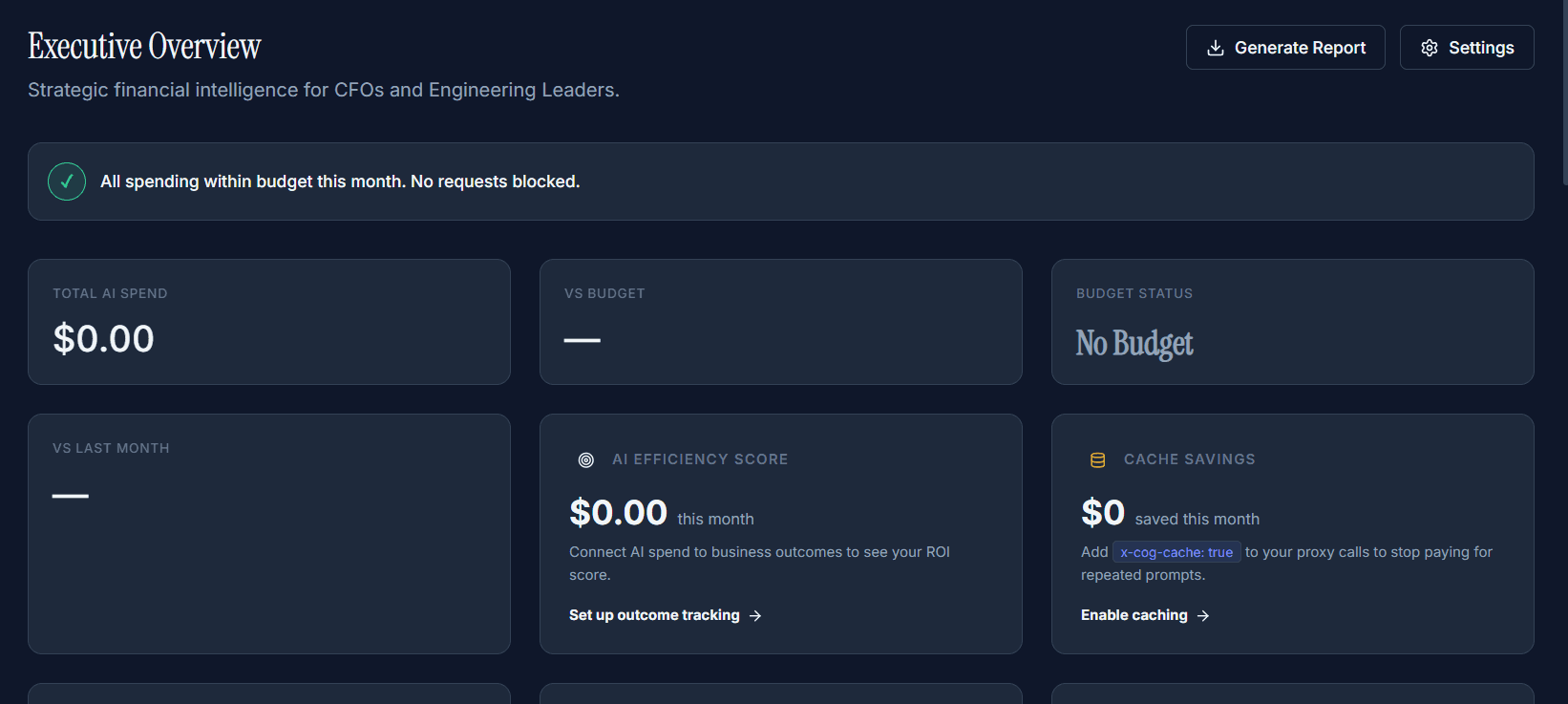
Executive Overview: Total AI Spend, VS Budget, Budget Status (top row), plus AI Efficiency Score and Cache Savings (bottom row). The "Generate Report" button produces a board-ready PDF in ~15 seconds.
What the Executive View contains
The Executive View is a single-page financial dashboard purpose-built for leadership. It removes operational detail (individual calls, routing rules, technical waste categories) and surfaces only what a CFO or board member needs to know.
AI Spend Summary — Total spend for the period, split into Investment (spend delivering measurable outcomes) and Waste (recoverable spend). Trend vs. previous period with % change.
AI Efficiency Score — Your cost per business outcome for the current month (total spend divided by tagged outcomes delivered), with the trend versus last month. It requires outcome tracking (X-Cost-Outcome) to be in use — see What is an AI Efficiency Score? for how this differs from the separate 0–100 FinOps Maturity Score.
Department Breakdown — Spend by department as a donut chart and a ranked table. Each department shows total spend and waste %. One-click drill-down to the department's chargeback report.
Cost per Outcome — Your configured business outcome metrics (cost per ticket, contract, etc.) with trend. This is the data that turns an AI spend conversation from "how much?" to "what did we get for it?"
Savings Summary — A clean list of optimisations applied this cycle and the savings each generated. This section answers the question "what did your FinOps team actually do?" with specific dollar amounts.
Next Month Forecast — Projected spend for the next 30 days, with the key assumption (growth rate) stated explicitly. Turns board Q&A from "we'll get back to you" to "here's our projection with confidence range."
Generating the board PDF
Click Generate Report in the top-right corner. The PDF is produced in approximately 15 seconds and includes:
- AI-written executive narrative (2–3 paragraphs summarising the month)
- All Executive View charts in print-quality format
- Line-item savings table with dates
- Department efficiency comparison
- Month-over-month trend for all key metrics
- Recommendations section: actions taken and pending
When generating a report, select the Narrative tone before clicking Download. Three tones available: Board / CFO (default), Technical Finance (more detail on waste categories and models), or Engineering (cost-per-feature focus). Each tone produces a different narrative paragraph with the same underlying data. See Narrative Tone for full details.
Scheduled report delivery
Configure automatic PDF delivery in Intelligence → Reports → Scheduled Delivery:
| Setting | Options |
|---|---|
| Frequency | Monthly (1st of month) — auto-generated from prior calendar month |
| Recipients | Any email address — no Cognocient account required. Typical: CFO, Head of Finance, CTO, board secretary |
| Report type | Executive Summary with AI-written narrative, charts, and efficiency score |
| Delivery | Recipients receive a PDF attachment directly — no login required |
Who should have access
The Executive View shows aggregated financial data — no technical details, no individual call data. It is designed to be shared with leadership who do not have Cognocient accounts.
| Role | Access |
|---|---|
| CFO / Head of Finance | Full Executive View access + PDF generation + scheduled report configuration |
| CTO / VP Engineering | Full access — particularly useful for connecting feature decisions to cost data |
| Board members | Receive scheduled PDF only — no dashboard access required |
| Department heads | Department-scoped view — see only their department's data and efficiency score |
Related articles
Board Reports
One-click PDF reports with AI-written narrative. Three tones: Board/CFO, Technical Finance, Engineering.
Saved Views & Custom Charts
Build charts from any metric, split and filter, share them with your team and pin them to the Overview. Growth plan.
FOCUS Export
Export FinOps FOCUS-aligned spend data for CloudZero, Apptio, and AWS.